


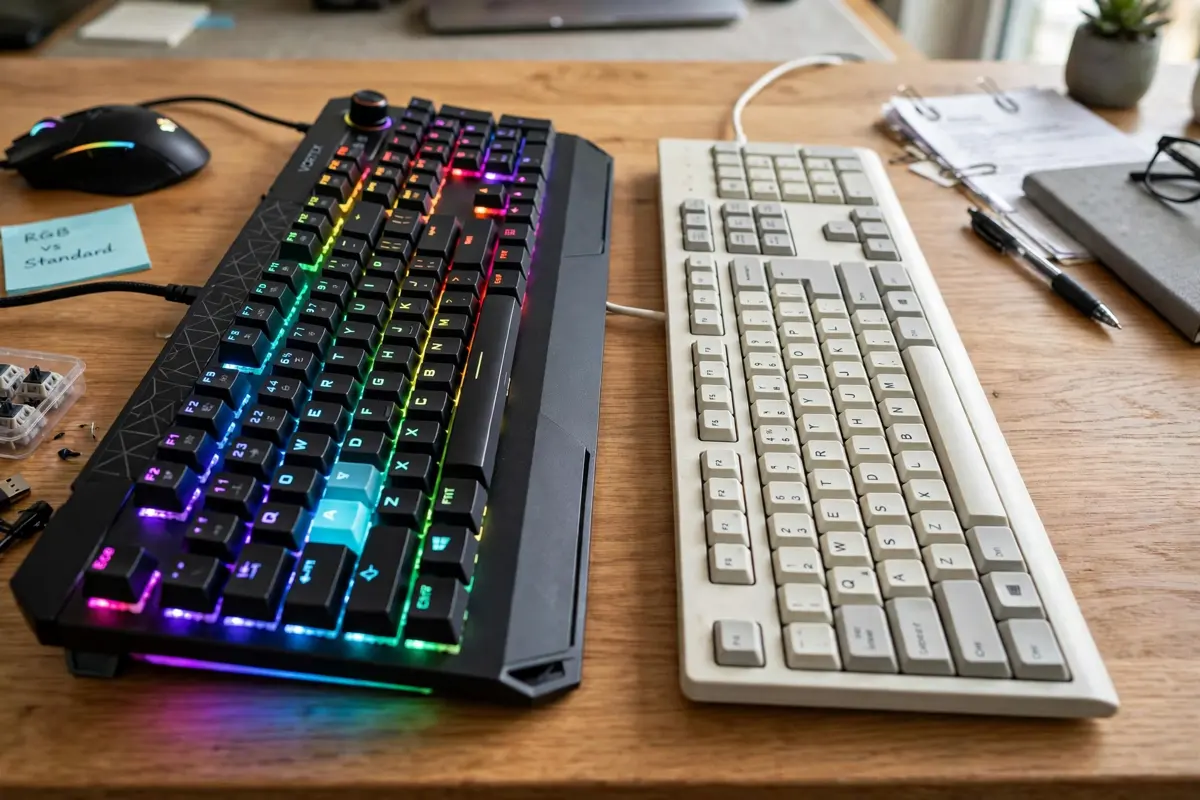
A gaming keyboard vs regular keyboard comparison comes down to four real differences: the switches under the keys, how many keys it can register at once, how often it reports presses to your PC, and the extra software features built around play. Most gaming keyboards use individual mechanical switches, support N-key rollover, and poll at 1,000Hz, while a typical office board uses a rubber-dome membrane, limited rollover, and a 125Hz polling rate. Those differences change how the keys feel and how reliably complex inputs register. They do not automatically make you a better player, and much of what you pay for — RGB lighting, for example — is appearance rather than performance.
Gaming Keyboard vs Regular Keyboard at a Glance
The label on the box is a shortcut, not a specification. Still, the two categories differ in predictable ways.
| Feature | Typical gaming keyboard | Typical regular keyboard |
|---|---|---|
| Switch type | Mechanical or optical/magnetic switches, one per key | Rubber-dome membrane under all keys |
| Polling rate | 1,000Hz is common; some models go higher | 125Hz is common on basic models |
| Key rollover | Often N-key rollover (NKRO) | Often 2-key to 6-key rollover |
| Anti-ghosting | Usually included, often for all keys | Limited or restricted to certain key zones |
| Extra keys and macros | Programmable keys, macro recording, remapping software | Rare, beyond standard media keys |
| Lighting | Single-colour backlight or per-key RGB | Often none |
| Build | Heavier frame, frequently PBT keycaps | Lighter plastic frame, usually ABS keycaps |
| Price position | Generally higher for the same layout size | Generally lower |
Those are tendencies, not rules. Some regular keyboards are mechanical and fast, and some keyboards sold for gaming still use a membrane. Checking the switch type, rollover, and polling rate on a specific model tells you more than the word “gaming” does.
Switches: The Difference You Feel on Every Press
The switch is the mechanism under each keycap, and it decides the feel, sound, and lifespan of the board.
Mechanical Keyboard vs Membrane Keyboard: How Each One Works
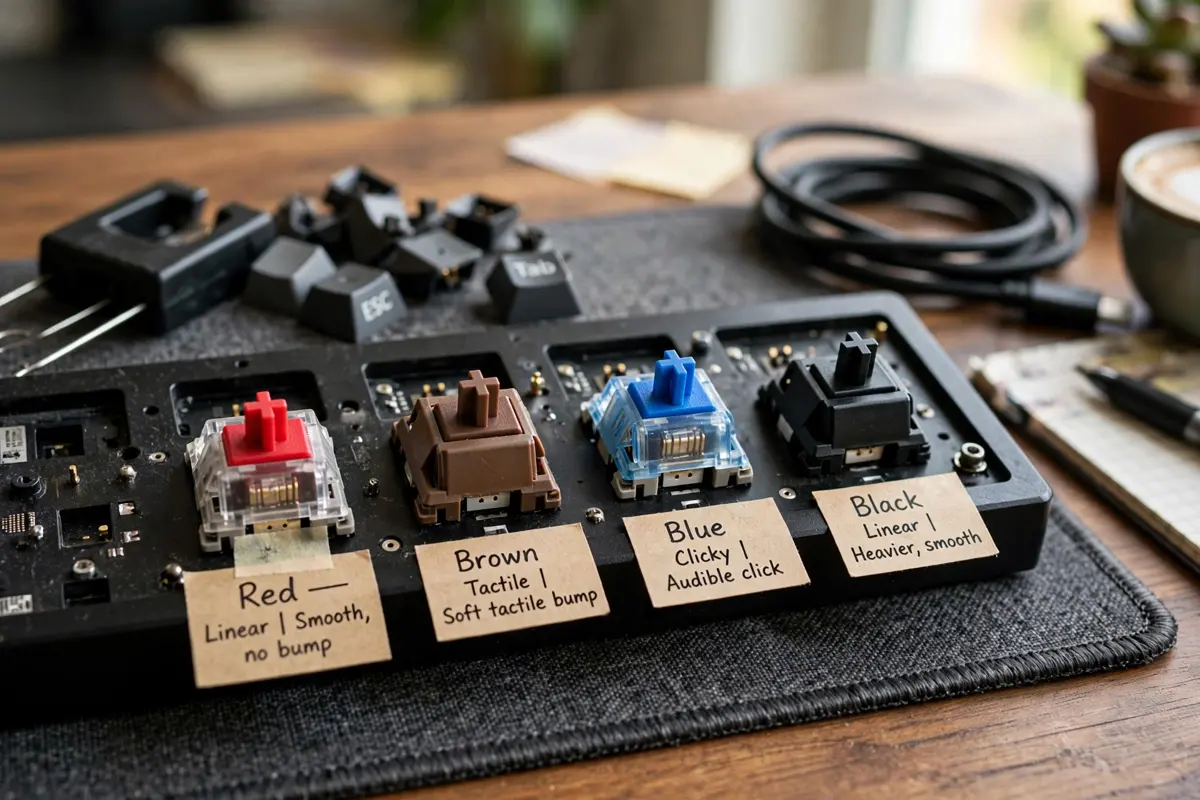
In a mechanical keyboard vs membrane keyboard comparison, construction is the core difference. A mechanical keyboard gives every key its own physical switch, with a spring and metal contacts inside. The switch registers the press partway through its travel, at a set actuation point, so you do not have to push the key all the way down.
A membrane keyboard works differently. All the keys sit over a shared sheet with rubber domes. Pressing a key collapses its dome and pushes the membrane layers together to complete a circuit. Because the dome has to collapse fully, you generally have to bottom out each press. That design is simple and cheap to produce, which is why membrane boards fill offices, schools, and bundled desktop packages.
The feel follows from the construction. Mechanical switches give a defined response — you can feel the actuation point on tactile switches, or hear it on clicky ones. Membrane keys feel softer and less defined, often described as mushy, especially as a board ages. On the other hand, membrane keyboards are usually much quieter, which matters in a shared office or late at night.
Published lifespan ratings reflect the gap, although figures vary by maker. Mechanical switches are commonly rated at 50 to 100 million keystrokes per key, membrane keyboards at around 5 to 10 million. Treat those as manufacturer ratings rather than guarantees, because spills and heavy use shorten any keyboard’s life. The practical point holds: a failed mechanical switch can often be replaced alone, while a worn-out membrane board is replaced whole.
Linear, Tactile, and Clicky Switches
Mechanical switches fall into three broad families. Linear switches travel smoothly with no bump, and many players prefer them for rapid, repeated presses. Tactile switches have a small bump at the actuation point, so your finger knows the press registered. Clicky switches add an audible click to that bump, which gives clear confirmation but can annoy anyone nearby.
Regular keyboards rarely offer this choice, because the membrane fixes the feel for the whole board. Optical and magnetic (Hall effect) switches are a newer option on some gaming models, detecting the press with light or magnets instead of metal contacts, sometimes with adjustable actuation. Those features are real, but they sit at the enthusiast end of the market, and most players will not notice them in ordinary matches.
Polling Rate and Latency: Real, but Smaller Than the Ads Suggest
Polling rate is how often the keyboard reports its state to the computer, measured in hertz. A 125Hz board reports every 8 milliseconds. A 1,000Hz board reports every 1 millisecond. Higher-end gaming models advertise 4,000Hz or 8,000Hz, shortening that interval further on paper.
Context matters here. Polling is only one slice of total input delay. Switch behaviour, internal scanning, the USB connection, the game engine, and your display all add delay, and your own reaction time is far larger than any of these. So the jump from 125Hz to 1,000Hz removes a small, genuine source of delay, while the jump to 8,000Hz is very hard for most people to perceive. Instead of guessing, run a keyboard latency test and compare the result with what you feel in game.
Wireless adds another variable. Modern gaming wireless can perform close to wired in tests, but results vary by model and environment, so treat brand claims with caution. For a fixed desk setup, a cable removes that variable entirely.
N-Key Rollover and Anti-Ghosting: The Practical Gaming Advantage
Rollover describes how many keys a keyboard can register correctly at the same time. It is written as a number followed by KRO — 6KRO means six simultaneous keys — while NKRO, or N-key rollover, means every key can register at once. Anti-ghosting protects against the opposite problem: ghosting is when pressing several keys produces an extra, phantom press you never made.
Games stress this in ways typing does not. Holding W and Shift to sprint, tapping A or D to strafe, then pressing Space and a number key to swap weapons is a normal shooter sequence. On a basic membrane board with limited rollover, one of those inputs can fail to register. You may never notice the limit while writing emails, because typing rarely holds four or five keys down together.
You do not have to take a product page’s word for this. Try testing your keyboard with the combinations you actually use in your main games, and watch whether every key lights up. If your current board already passes them, rollover alone is not a reason to replace it.
Extra Features: Macros, RGB, and Gaming Mode
Beyond speed and rollover, gaming keyboards add convenience features that regular boards usually skip.
Macros and remapping. Software lets you record a sequence of keystrokes and assign it to one key, or move a command somewhere more comfortable. This helps most in MMOs, strategy games, and editing shortcuts. Some games restrict macros in competitive play, so check your title’s rules first.
RGB lighting. Per-key RGB lets you colour-code key groups or highlight the keys a game uses. It can help in a dark room, but it does not change performance. A plain backlight gives the visibility benefit for less money.
Gaming mode. This usually disables the Windows key so an accidental press does not minimise your game — a small feature that solves a genuinely annoying problem.
Onboard memory and extras. Many gaming boards store profiles on the keyboard itself, so settings travel with it. Some add a USB pass-through port, detachable cable, or volume wheel. Regular keyboards sometimes include media keys, but stored profiles and pass-through ports are uncommon.
Build Quality, Keycaps, and Repair
Gaming keyboards tend to be heavier, with sturdier frames and sometimes a metal top plate. The weight keeps the board planted during fast movement, and a solid frame flexes less. Keycaps differ too: PBT plastic, used on many gaming boards, resists the shiny surface ABS develops over time, and its legends fade more slowly.
Repair follows the same pattern. Keycaps pull off in seconds, and hot-swappable models let you change a switch without soldering, so one failing key is a small fix, not a new purchase. A membrane keyboard offers almost none of this, so the whole unit is disposable once it wears out.
Typing on a Gaming Keyboard: The Other Half of Its Life
Most people game for a few hours and type for the rest of the day, so typing comfort deserves equal weight. Mechanical switches can reduce missed letters because the actuation point gives clear feedback. Membrane users can type just as fast, though — speed in practice owes more to familiarity than to switch type.
Noise is the trade-off. Clicky switches are audible in the next room, and even linear switches sound when they bottom out. In a shared room, a quiet membrane board or silent mechanical switches are the considerate choice. Size matters too: a tenkeyless or 60% board frees desk space and brings the mouse closer, while a full-size board keeps the number pad spreadsheet work depends on.
Where the “Gaming” Label Misleads
Two cautions keep this comparison honest. First, “gaming” is a marketing category, not a performance standard — nothing regulates the word. A cheap gaming-branded membrane board can perform worse than a plain mechanical keyboard sold for the office. Second, headline features have diminishing returns: polling above 1,000Hz offers gains most players cannot detect, and extra lighting adds cost without speed.
Shop by specification rather than by label: a switch type you like, enough rollover for your games, 1,000Hz polling for fast titles, and a frame that will last. A regular keyboard meeting those points serves you just as well as one in a gaming box.
Do You Need a Gaming Keyboard?
No. You do not need a gaming keyboard to play games well, including competitive ones. Skilled players have reached high ranks on ordinary keyboards, because aim, positioning, game knowledge, and practice decide far more than hardware does. A gaming mouse arguably matters more, since it tracks continuous hand movement, while a keyboard key is essentially an on-off switch.
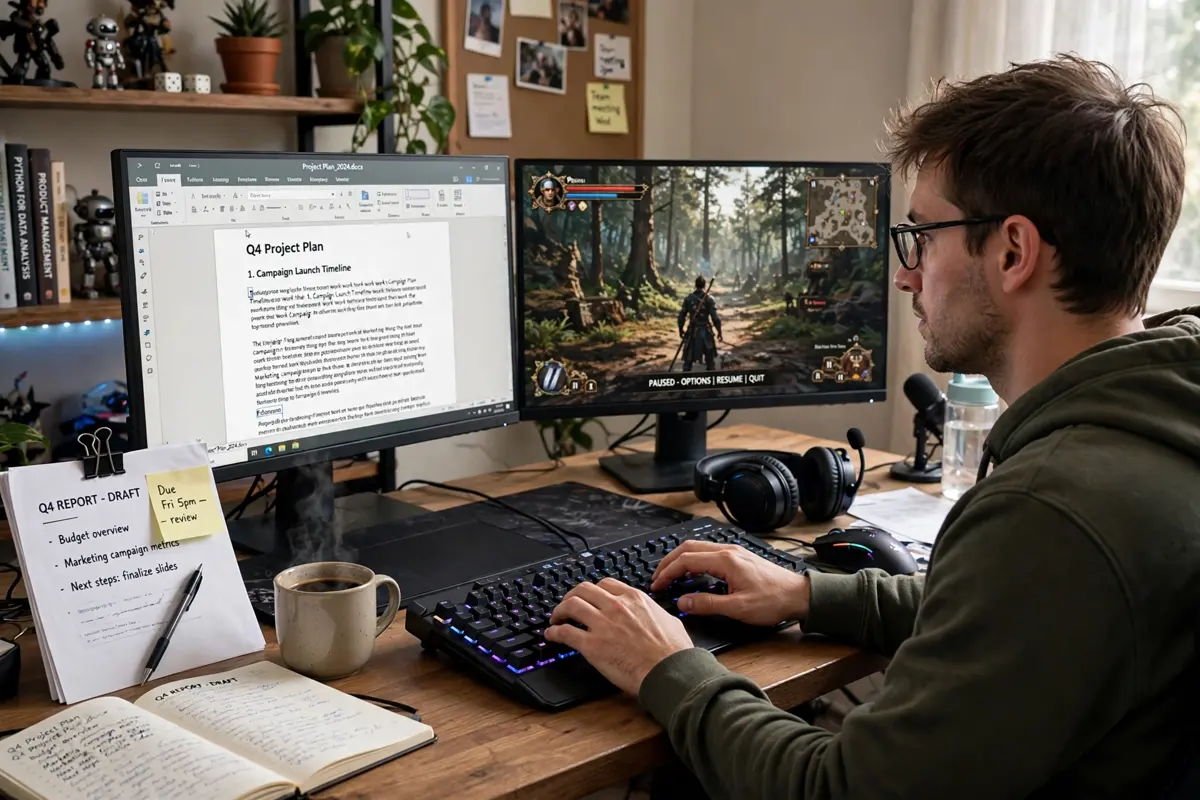
The honest framing is want, not need — but the wants are legitimate in specific situations:
- Fast, competitive shooters and fighting games: reliable multi-key registration and consistent switches remove a real failure point, worth paying for if you play these genres daily.
- Casual, single-player, and slower-paced games: a regular keyboard handles these comfortably. The money may do more for your enjoyment spent on games, a better chair, or a monitor.
- MMOs and strategy titles: macros, remapping, and extra keys save real time and awkward finger stretches, even though raw speed matters less here.
- Long typing days with some gaming: a good mechanical board — gaming-branded or not — earns its price through feel and durability across both activities.
If your current keyboard registers every combination you use, feels comfortable, and is not wearing out, keeping it is a reasonable decision. Upgrade when you can name the specific problem the new board solves: missed inputs, a mushy feel, or keys you wish you could move.
More guides for your home gaming setup: if your gaming room is in a finished basement, check the wall first with our basement crack repair guide.
Frequently Asked Questions
Can you use a regular keyboard for gaming?
Yes. A regular keyboard runs any PC game, and for casual and slower-paced titles it is usually fine. Its limits appear in fast games where you hold several keys at once, because limited rollover can drop an input. If that happens, higher rollover is the specific upgrade to look for.
Is a gaming keyboard faster than a regular keyboard?
Usually, yes, but the gap is small. A typical gaming keyboard polls at 1,000Hz against 125Hz on a basic board, and mechanical switches register partway through the press rather than at the bottom. Total delay also depends on the game and display, so most players notice the better feel more than the speed.
Are all gaming keyboards mechanical?
No. Some gaming keyboards use a membrane, with features such as partial anti-ghosting, backlighting, and macro software added. Others use optical or magnetic switches. Always check the switch type in the specifications instead of assuming the gaming label means mechanical.
What is the difference between NKRO and 6KRO?
6KRO means the keyboard registers six keys pressed at the same time. NKRO, short for N-key rollover, means it registers every key at once. Six keys cover most gaming situations, but NKRO removes the worry entirely, which is why most gaming keyboards include it.
Do gaming keyboards last longer than regular keyboards?
Mechanical gaming keyboards generally do, because their switches carry higher published ratings — commonly 50 to 100 million presses per key, against roughly 5 to 10 million for membrane boards. Those are manufacturer ratings and real life varies, but replaceable switches and keycaps also make a mechanical board easier to keep running.
Is RGB lighting worth paying for on a keyboard?
Only for appearance and convenience. RGB helps you find keys in the dark and lets you colour-code controls, but it has no effect on speed or durability. On a tight budget, the same money does more work spent on better switches or PBT keycaps.
Related Reading
This companion guide is a useful next read if you are curious how driving settings affect range.
